
Overview
Students are strongly advised to follow the steps below to successfully submit their application for admission to the AHP Diploma Courses 2026.
Candidates are advised to submit their application well in advance of the last date of submission. St. Stephen’s Hospital shall not be responsible if candidates are unable to submit their applications on the last date due to technical issues.
If you wish to submit the application form offline, please contact the AHP Department at St. Stephen’s Hospital for further assistance.
Helpdesk
Apply Now
Simple & Easy Steps
Secure
Safe & Reliable Process
Helpdesk
We are here to help you
For technical queries or clarifications relating to the filling up of the Online Application Form, please feel free to contact the Helpdesk.
Timing:
9 am – 4 pm (Mon- Fri)
9 am – 1 pm on Saturdays

Step 01
Read the Prospectus Carefully
The Comprehensive Prospectus for Allied Health Professional Diploma Courses 2026 contains information about eligibility for the course, documents required for admission, steps in the admission process, fees for the course, and a lot more that students applying to the course need to know.
Candidates must fulfil the educational qualifications as per the eligibility criteria given in the Prospectus (from Class 10 / Matriculation onwards) with respect to subjects and the percentage of marks obtained. There will be no rounding off of the percentage of marks of the qualifying examination while deciding the basic eligibility of any candidate for admission. For example, if a candidate obtained 49.9% marks in their qualifying examination, it will not be rounded off to 50%.
After submission, please retain a printout of the online application form for future reference and for submission during document verification at the time of the interview.

Step 02
Gather the Required Information and Documents
Keep the following information and scanned files ready before you begin filling out the Online Application Form.

Email Address
An email address is an essential requirement for starting the application process. An OTP will be sent to the email address for verification. Only one candidate can apply for admission against a particular email address.
Mobile Number
A valid mobile number belonging to the candidate, as it will be used for communication regarding the application status and admission process.
Passport-size Digital Photo (JPG/PNG)
A passport size photo of the candidate’s face must be taken against a light background. The file size must be less than 100 KB and must be a JPG or PNG file – PDF files will not be accepted. The candidate should ensure that the same photograph is used throughout the admission process. Preferred dimensions: 350 × 350 pixels.
Class X Mark-sheet
A self-attested scanned copy of the Secondary School Examination (Class X) mark-sheet from a recognized University or Board of Examination, in PDF format only, clearly showing the candidate’s name, date of birth, and marks scored. The file size should be less than 500 KB.
Application Fee Payment Details
Details required for the online payment of the Application Fee of Rs. 800/-. Keep all the information (and items such as your card or phone) required to successfully make an online payment of Rs. 800/- using a credit card, debit card, net banking, UPI, or wallet.
For Christian Candidates Only
Christian candidates should also keep the following two scanned copies ready in PDF format, each with a file size less than 500 KB: (a) Baptism / Confirmation Certificate, and (b) Church membership letter.
Step 03
Register, Fill in, and Submit the Online Application Form
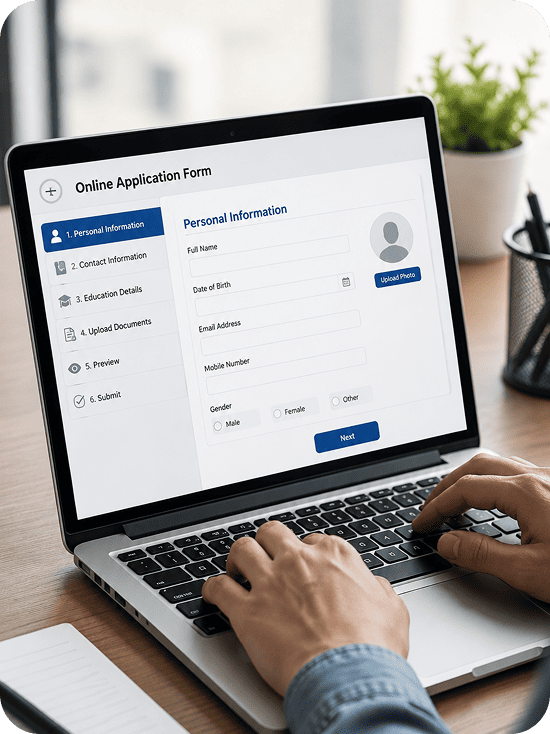
Once you have read the Prospectus and have all the information and files from Step 2 ready, follow the sequence below.
1. Register as a New Candidate
- Go to New Candidate Registration. Enter your email address and click the Get OTP button to begin email verification. An OTP will be sent to the given email address.
- Enter the OTP in the OTP field and click the Verify Email button to verify the email address. Upon successful verification, the email address field will be locked and the Password field will be activated.
- Fill in your password and click Register. A confirmation message will appear.
- If you entered the wrong OTP: re-enter the OTP and click the Verify Email button again.
- If you entered the wrong email address: refresh the page (Ctrl+R) and begin again with the correct email address.
2. Log In
After creating your password, go to Registered Candidates Login on the right side of the web page. Log in with your registered email ID and password.
3. Select Your Courses
St. Stephen’s Hospital offers Diploma courses under the AHP programme. You can apply for up to 3 Diploma courses in a single application form. Kindly fill in your choice of courses as First Preference, Second Preference, and Third Preference.
4. Fill In Details and Save as Draft
Fill in all the required information and upload all the required files listed in Step 2.
- Click the Save and Preview button. Your application will be saved as a draft and a preview will be displayed.
- You may save your application after filling out the mandatory fields, uploading the photo, and uploading the mandatory documents. All mandatory fields are marked with an asterisk (*).
5. Review and Submit
Check whether the particulars you have filled in are correct in all respects.
- If you wish to make corrections to the draft: click the Edit button. The form will open in editable mode.
- Make the required corrections and then click the Save and Preview button again.
- When you are satisfied that the form is complete and correct in all respects, click the SUBMIT AND PAY button. You will not be able to make any further corrections to your form once your payment transaction is successful.
6. Pay the Application Fee
Once the SUBMIT AND PAY button is clicked, you will be automatically directed to an Online Payment Gateway. You will need to pay an amount of Rs. 800/- as the Application Fee. You may pay using a debit card, credit card, internet banking, UPI, or an available online wallet.
The Application Fee, once paid, will not be refunded or adjusted in any manner.
If the payment transaction is successful, your Online Application Form is successfully submitted. Your filled Online Application Form will be displayed on screen in printable format, including your Registration Number and the payment details pertaining to your transaction.
- Click the Print button to take a printout of your filled Online Application Form.
Eligible candidates are required to submit a signed copy of their Application Form to the AHP Co-ordinator at the time of the interview.
Application Fee Summary
₹800/-
(Non-refundable)
Accepted payment methods:

If Your Payment Transaction Fails
If the payment transaction fails, your application will remain saved in Draft form and your Registration Number will not be generated. You will need to retrieve your saved application and initiate the payment transaction again.
Log in through the Registered Candidates Login section using the email ID and password used for registering.
Your form will open in editable mode.
Click the Save and Preview button.
Click the Submit and Pay button to initiate the payment process again.
If the payment is successful, your Online Application Form is successfully submitted — see Section 3.6 above for the printout and interview submission details.
Retrieving a Submitted Application Form
An Application Form that has been successfully submitted can be retrieved in printable format using the following procedure.
Log in through the Registered Candidates Login section using the email ID and password used for registering.
Your form will open in printable format.
Click the Print button to take a printout of your filled Online Application Form.
Step 04
Final Declaration
Before final submission, you will be asked to confirm a declaration regarding the accuracy of the information provided in your application.
The SUBMIT AND PAY button will only become active once the “I Agree” tick box is selected.
Follow the instructions described in Step 3 above to submit your Online Application Form.
Ready to Begin Your Application?
Click the New Candidate Registration button below to get started.